
Download TidyTop – Fast Desktop Cleaner, Secure File Organizer
Overview
TidyTop is a lightweight desktop‑cleanup tool designed to give you a spotless workspace in seconds. Whether you’re rushing to start a presentation, need to hide confidential files, or simply want to keep your screen uncluttered, TidyTop instantly moves selected items into a hidden archive folder while preserving the original file structure. The software works by scanning your desktop, identifying files that haven’t been accessed recently, and offering a one‑click “tidy” option.
After the meeting, you can restore everything with a single click, ensuring that no data is lost and no extra steps are required. TidyTop’s intuitive interface makes it suitable for both power users and casual computer owners who value a clean, professional look. The program also includes a quick‑access shortcut for Windows, macOS, and even Android tablets that support desktop mode, making it a versatile solution across multiple platforms.
As a free utility, TidyTop receives regular updates to improve speed, add new sorting rules, and maintain compatibility with the latest operating system releases. By automating the tedious task of desktop organization, TidyTop helps you stay focused, improves system performance slightly by reducing visual clutter, and safeguards privacy when you need to share your screen. In short, TidyTop turns a chaotic desktop into a polished, presentation‑ready canvas with just a few clicks.
Key Features That Make TidyTop Stand Out
- Instant One‑Click Cleanup – Hide all desktop items with a single command.
- Secure Archive Folder – Files are moved to a hidden folder that can be reopened anytime.
- Recent‑File Detection – Automatically suggests files you haven’t used in weeks for archiving.
- Undo & Restore – Re‑populate the desktop exactly as it was before cleaning.
- Cross‑Platform Support – Native versions for Windows, macOS, and Android desktop mode.
- Customizable Filters – Exclude specific file types or folders from being moved.
- Lightweight & Fast – Less than 5 MB download size and minimal memory footprint.
- Free Updates – Continuous improvement without hidden fees.
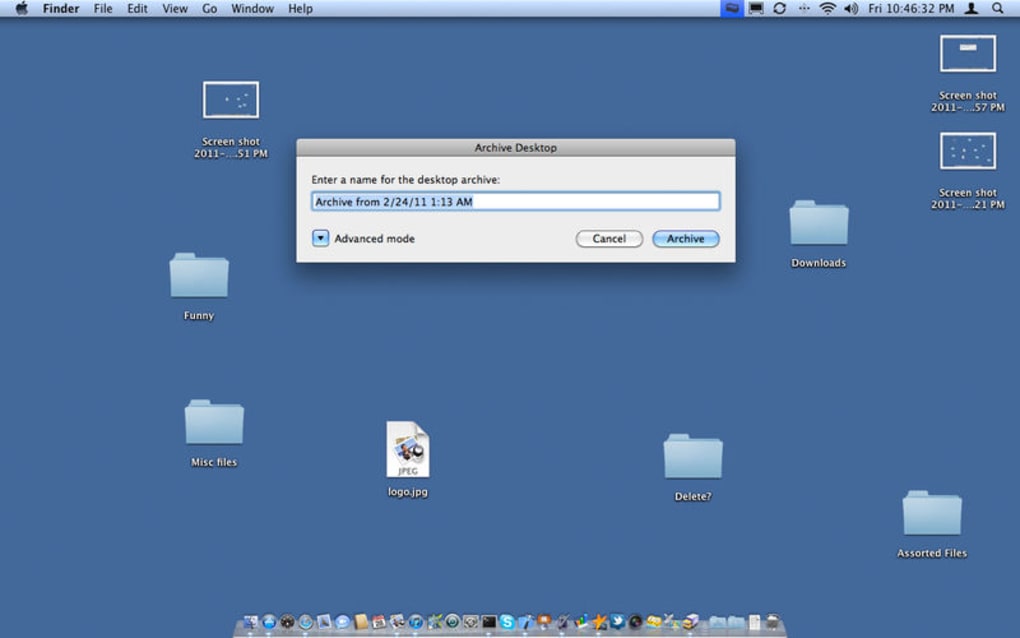
The “Instant One‑Click Cleanup” feature is the core of TidyTop’s value proposition. By simply pressing a button or using a keyboard shortcut (Ctrl + Shift + T on Windows, ⌘ + Shift + T on macOS), the software gathers every icon, document, and shortcut on your desktop and relocates them to a protected archive folder that lives in your user directory. This process is completed in under a second on most modern machines, allowing you to transition from a messy screen to a sleek presentation layout without any delay.
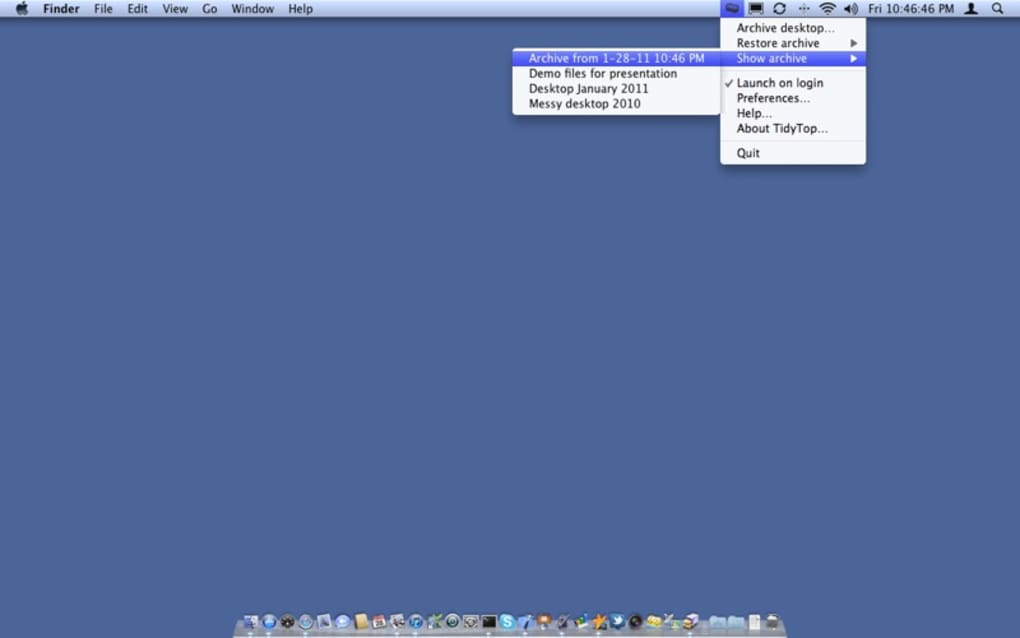
Security is a priority. The hidden archive is not just a regular folder; it is marked as a system folder with restricted access, preventing accidental deletion. You can still open the folder manually through TidyTop’s “View Archive” button, which reveals the contents in a clean list view. This design ensures that sensitive files remain out of sight when you share your screen or hand over your laptop to a colleague.
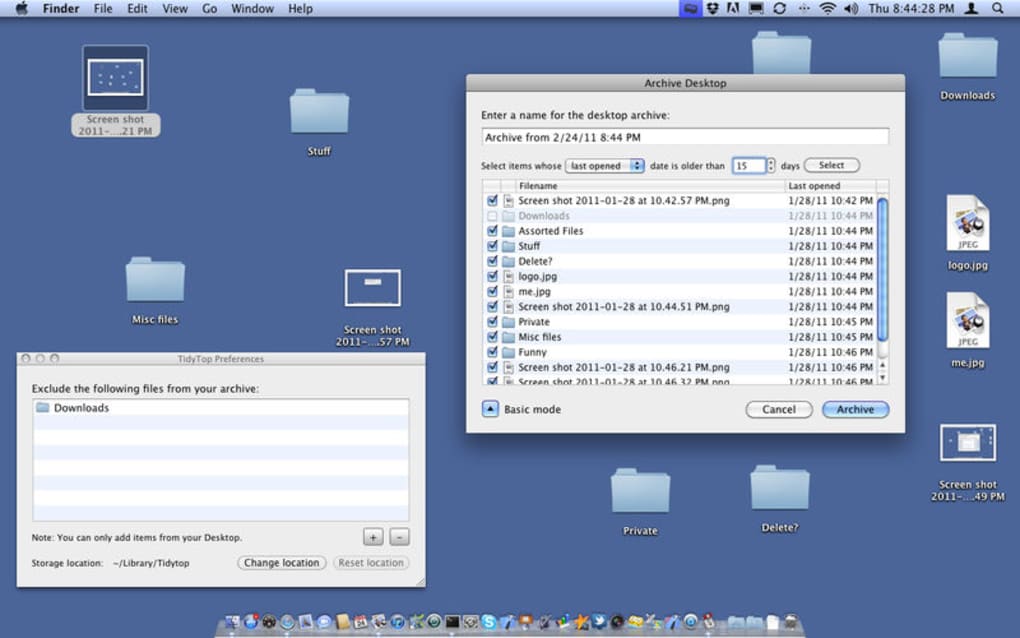
The recent‑file detection algorithm runs a background scan of file metadata, comparing last‑access timestamps against a configurable threshold (default is 30 days). Files that meet the criteria are highlighted in the “Suggested Cleanup” panel, giving you the option to review before moving them. This intelligent sorting reduces the risk of archiving something you still need.
Restoring your desktop is just as effortless. The “Undo & Restore” function reads the archive’s index file and places each item back to its original position, preserving icon layout and folder hierarchy. Because the restoration uses the same index, you can be confident that no file is misplaced.
Finally, TidyTop’s cross‑platform architecture means you can enjoy the same clean‑up experience whether you are on a Windows 10/11 PC, a macOS Monterey or Ventura machine, or an Android tablet running desktop mode. The UI adapts to each OS’s design language while keeping the core functionality identical, which makes it an ideal tool for professionals who work across different devices.
Installation, Setup, and Cross‑Platform Compatibility
Getting TidyTop up and running is straightforward. Follow these steps to install the free desktop cleaner on your preferred operating system.
Windows Installation (10, 11)
- Visit the official TidyTop website and click the “Download for Windows” button.
- The installer (tidytop‑setup.exe) will be saved to your Downloads folder.
- Double‑click the file and accept the User Account Control (UAC) prompt.
- Follow the on‑screen wizard: choose an installation folder (default is C:\Program Files\TidyTop) and click “Install”.
- After the installation finishes, launch TidyTop from the Start menu or desktop shortcut.
- During first launch, you’ll be asked to grant permission to access your Desktop folder – this is required for the cleanup function.
macOS Installation (Monterey, Ventura)
- Click “Download for macOS” on the product page; a .dmg file will appear.
- Open the .dmg and drag the TidyTop icon into your Applications folder.
- Open TidyTop from Launchpad; macOS will display a security warning because the app is from an unidentified developer.
- Go to System Preferences → Security & Privacy → General and click “Open Anyway”.
- Grant the app Full Disk Access under Security & Privacy → Privacy to let it manage your Desktop files.
Android (Desktop Mode) Installation
- Open the Google Play Store on a tablet that supports desktop mode.
- Search for “TidyTop” and tap “Install”.
- Once installed, launch the app; it will request permission to read/write external storage.
- Enable the “Desktop Shortcut” option in the app settings for quick access.
Supported Operating Systems: Windows 10/11, macOS Monterey/Ventura, Android 10+ (desktop mode). A lightweight iOS version is under development, targeting iPadOS 16+. The software is built on .NET for Windows, Swift for macOS, and Kotlin for Android, ensuring native performance and secure sandboxing on each platform.
After installation, the initial configuration wizard walks you through setting your preferred archive location, choosing the default cleanup shortcut, and defining the “inactive file” threshold. All settings are stored in a JSON configuration file located in the user’s AppData (Windows) or Library/Application Support (macOS) directory, making it easy to back up or transfer to a new device. Regular updates are delivered via built‑in auto‑update, which checks for new versions each time you launch the app and prompts you to install the latest secure build.
Pros and Cons + Frequently Asked Questions
Pros
- Fast, one‑click desktop cleanup saves time before meetings.
- Secure hidden archive prevents accidental exposure of sensitive files.
- Free to download with no hidden fees or ads.
- Cross‑platform support for Windows, macOS, and Android.
- Customizable filters let power users fine‑tune which files are moved.
- Lightweight installer (under 5 MB) and low memory usage.
- Regular free updates keep the tool compatible with the latest OS releases.
Cons
- No native iOS version yet; iPad users must wait for the upcoming release.
- Advanced sorting rules require manual configuration for some users.
- Lacks integration with cloud storage providers (e.g., OneDrive, Google Drive).
- Undo history is limited to the most recent cleanup session.
Frequently Asked Questions
Is TidyTop completely free?
Yes, TidyTop is offered as a free download with no subscription or hidden charges. All core features, including the one‑click cleanup and restore functions, are available at no cost.
Can I choose which files stay on the desktop?
Absolutely. TidyTop provides a filter panel where you can exclude specific file types, folders, or individual files from being moved. You can also create custom rules based on file extensions or age.
How secure is the hidden archive folder?
The archive folder is marked as a system folder with restricted permissions. It is hidden from standard Explorer or Finder views unless you explicitly open it through TidyTop’s “View Archive” button. This helps keep confidential files out of sight during screen sharing.
Will TidyTop affect the performance of my PC?
TidyTop is designed to be lightweight, consuming less than 30 MB of RAM during operation. The cleanup process runs quickly and does not interfere with other running applications, so you should not notice any performance degradation.
Can I restore files after a system reboot?
Yes. The archive index is saved on disk, so even after a reboot you can launch TidyTop and click “Restore Desktop” to bring everything back to its original locations.
Conclusion – Should You Download TidyTop?
For anyone who frequently presents, collaborates remotely, or simply dislikes a cluttered workspace, TidyTop delivers a fast, secure, and completely free solution. Its one‑click cleanup and reliable restore functionality eliminate the anxiety of exposing private files during screen sharing, while the hidden archive ensures that nothing is permanently lost. The cross‑platform availability means you can keep a consistent workflow whether you switch between a Windows laptop, a macOS desktop, or an Android tablet. Although a native iOS version is still pending and deeper cloud integration could enhance the experience, the current feature set already surpasses many paid alternatives.
Because TidyTop is lightweight, regularly updated, and free of ads, it poses virtually no risk to system stability. If you value a tidy, professional desktop and want a tool that respects your privacy, downloading TidyTop is a smart move. Click the button below to start the free download, install the app, and enjoy a cleaner workspace in seconds.
Pros: Instant cleanup, secure archive, free, cross‑platform.
Cons: No iOS version yet, limited cloud integration.







